Articulate Rise 360 · AI-Assisted Custom Development
Faculty Training Modernization
A template-bound faculty refresher rebuilt as a branded, accessible, interactive learning experience—without leaving Rise.
Project Overview
Quick specs
Role
Learning Experience Design, Multimedia Development, Visual Direction, Custom Front-End Development, Accessibility & QA
Tools
Articulate Rise 360, ChatGPT, HTML, CSS & JavaScript
Audience
Faculty & Instructors in Military-Adjacent and Corporate Training
Key feature
Reusable Branded Interactions Embedded Inside Rise
Modernization Breakdown
The Constraint
The original course communicated the essentials, but it was tied to a specific U.S. Air Force education environment and relied heavily on Rise’s default components. That limited visual authorship, left organization-specific details in the experience, and made the course feel assembled rather than deliberately designed. The opportunity was to preserve the instructional value while making the work safer to share and stronger to experience.
The Modernization Strategy
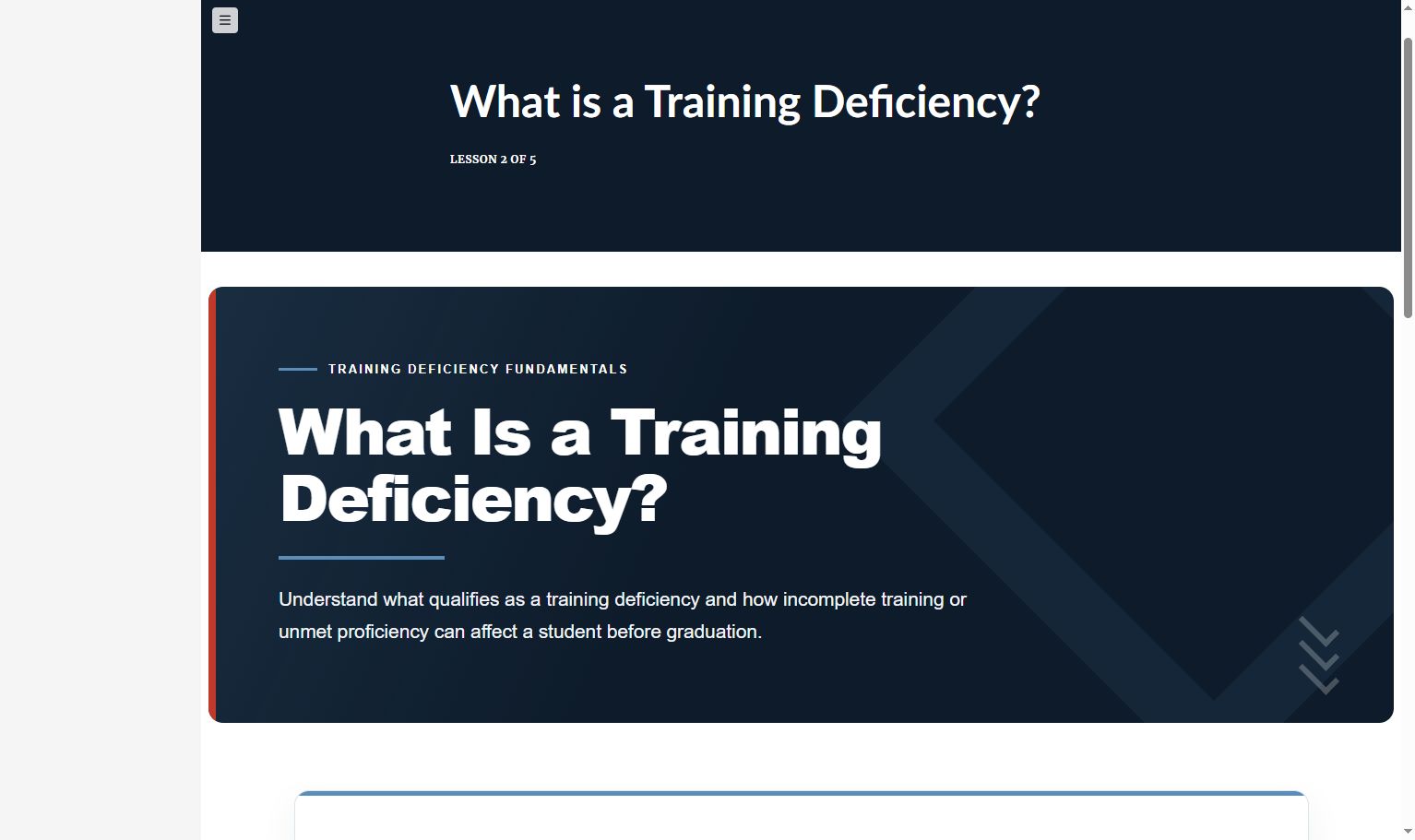
I reframed the subject matter for a broader military-adjacent and corporate audience, consolidated the lesson sequence, sanitized the report example, and built a reusable visual system across the course. The revised version keeps the instructional intent while becoming easier to scan, more engaging to use, and far more portfolio-ready.
The AI-Assisted Development Workflow
I used ChatGPT as a rapid front-end prototyping partner for custom HTML, CSS, and JavaScript, then directed the interaction design, brand system, content hierarchy, accessibility decisions, responsive behavior, and final QA. The result extends Rise’s capabilities without giving up the responsive delivery shell teams already know.
Before / After Comparison
The Modernization, Side by Side
The redesign goes beyond a visual refresh. Each update improves how learners find information, make decisions, and understand the consequences—while replacing organization-specific material with a safer, reusable training experience.
01 · From Generic Carousel to Purpose-Built Explorer
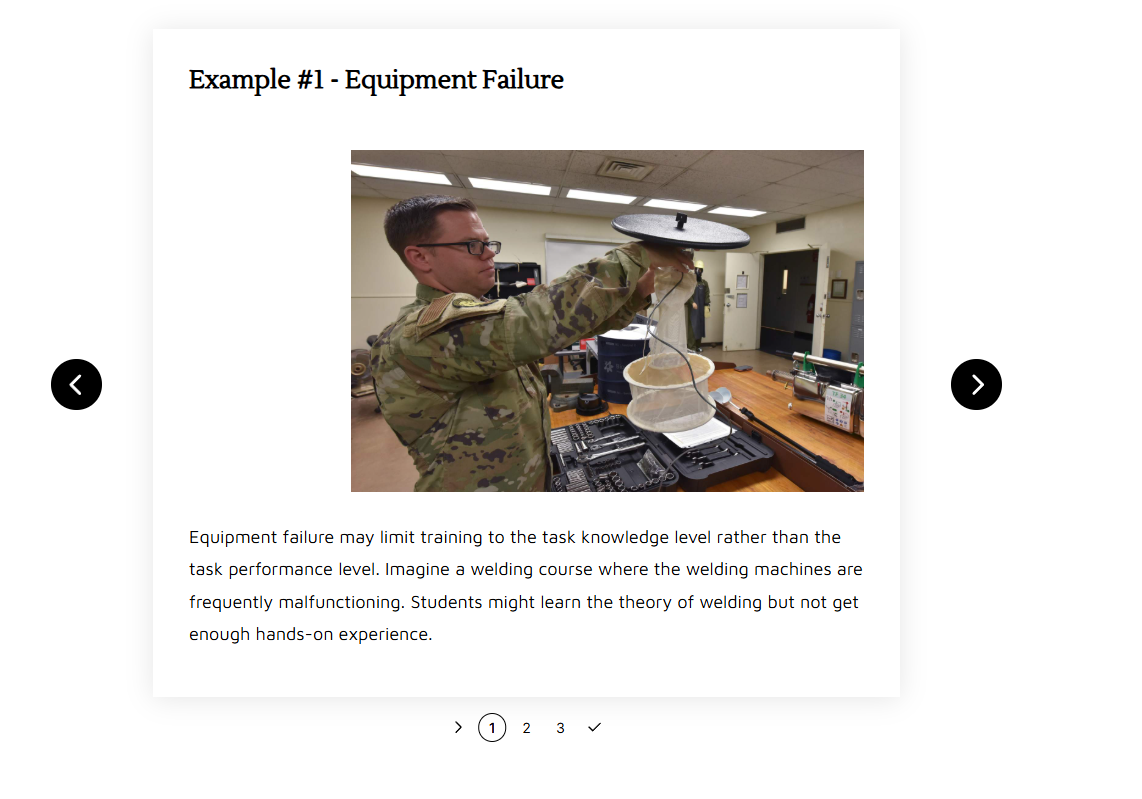
Before · Standard Rise Carousel
After · Custom Example Explorer
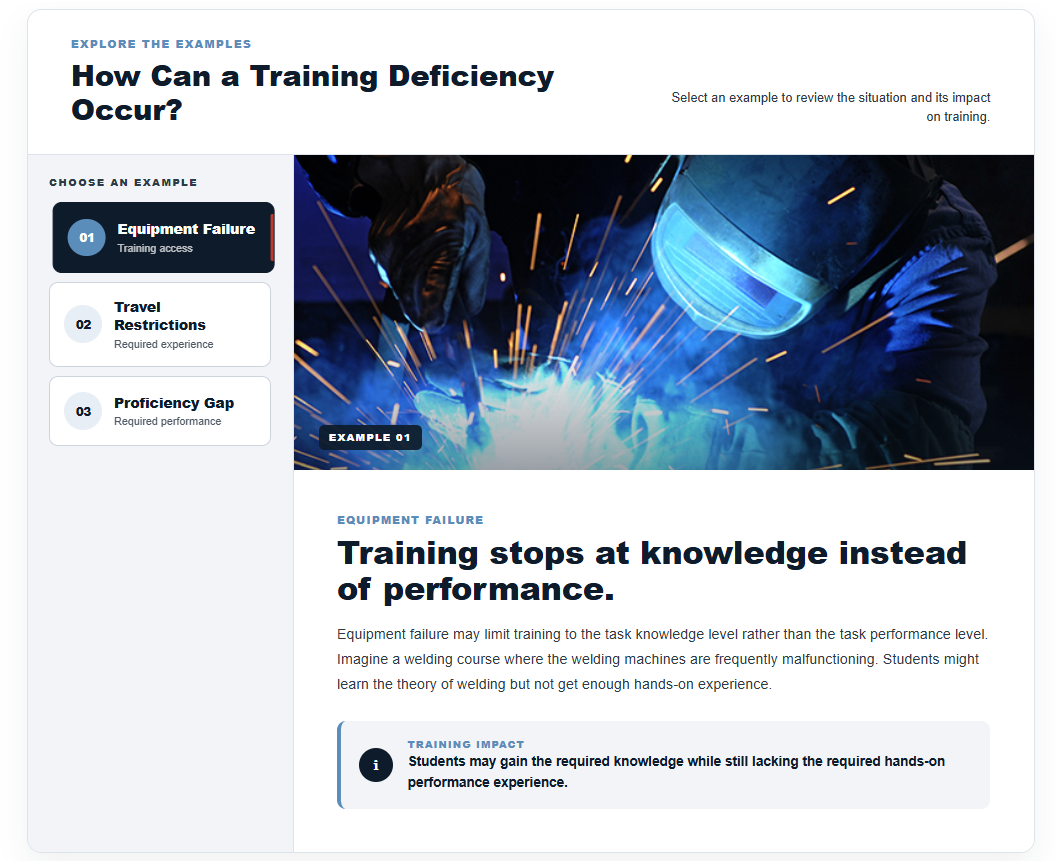
Improvement: clearer comparison, stronger context
The original presents one image and paragraph at a time inside a standard Rise carousel. The modernization keeps all three examples visible in persistent navigation, adds a deliberate visual hierarchy, aligns each image to the concept, and surfaces the real training impact as a separate takeaway. Learners can move between examples without losing their place or the larger instructional context.
02 · From Drag-and-Drop Sorting to Guided Scenario Practice
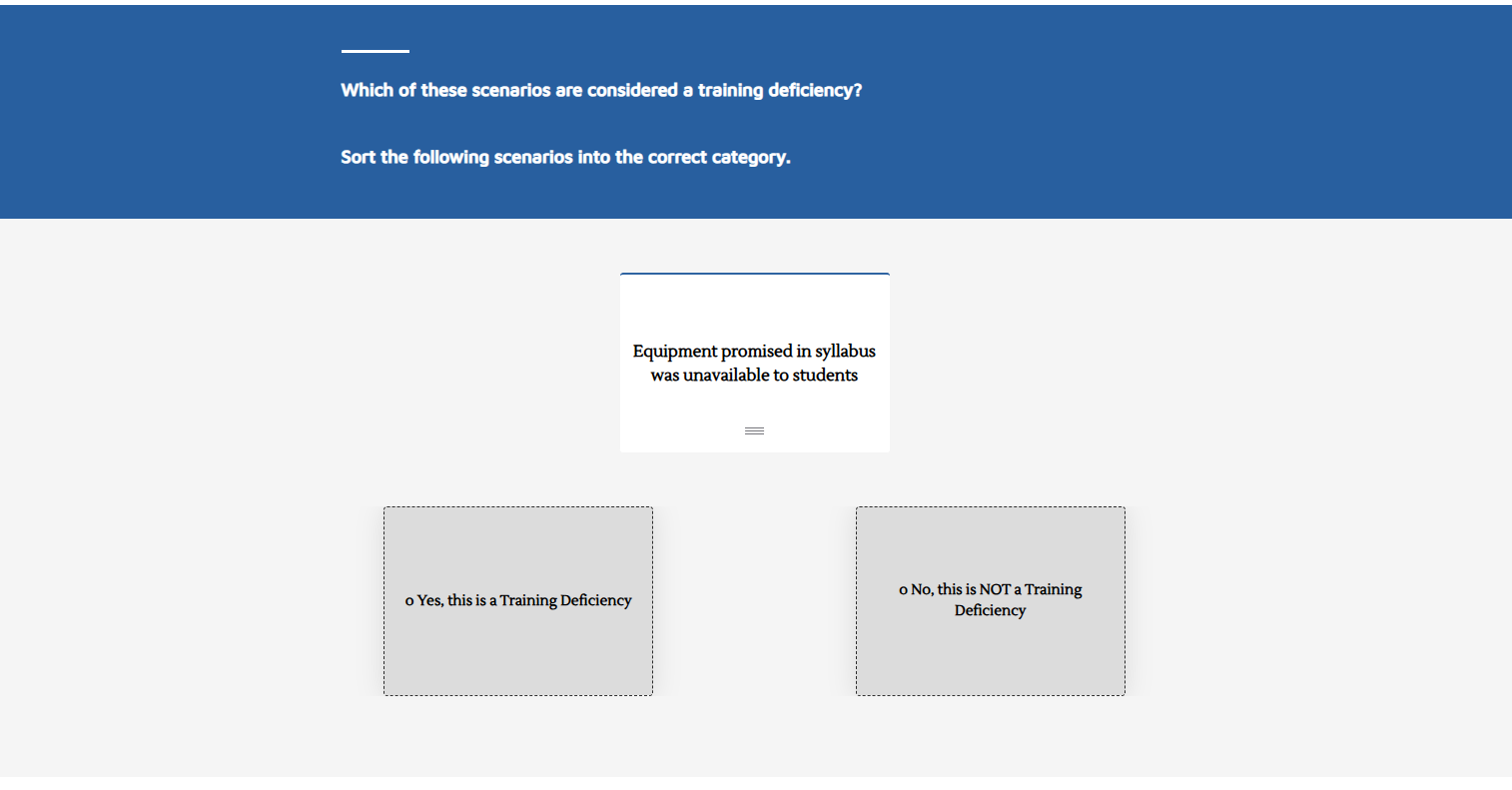
Before · Default Sorting Activity
After · Custom Guided Knowledge Check
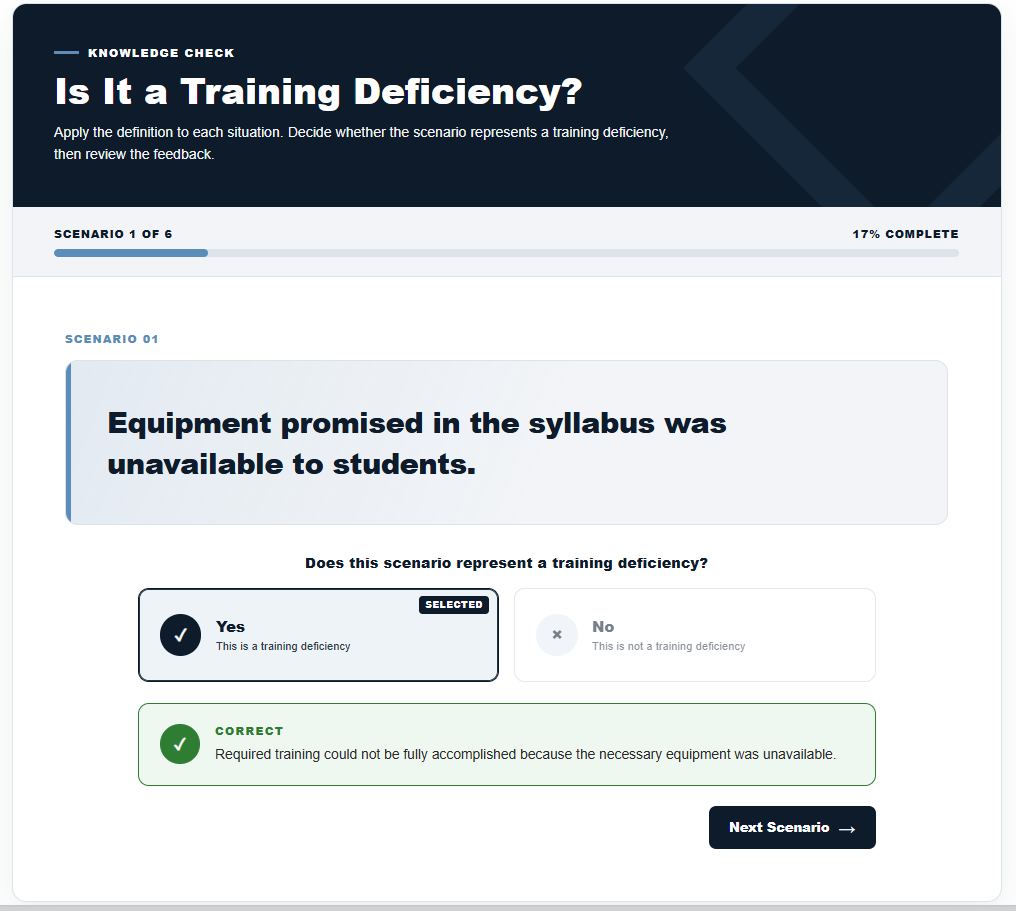
Improvement: less friction, more meaningful feedback
The original asks learners to drag small cards into broad categories, creating considerable empty space and making the physical interaction more prominent than the decision itself. The custom version presents one scenario at a time with visible progress, generous Yes/No targets, a clear selected state, and immediate feedback that explains why the choice is correct. The result is easier to scan, easier to operate, and more instructionally useful.
03 · From Static PNG to Selectable HTML Document
Before · Static PNG Document
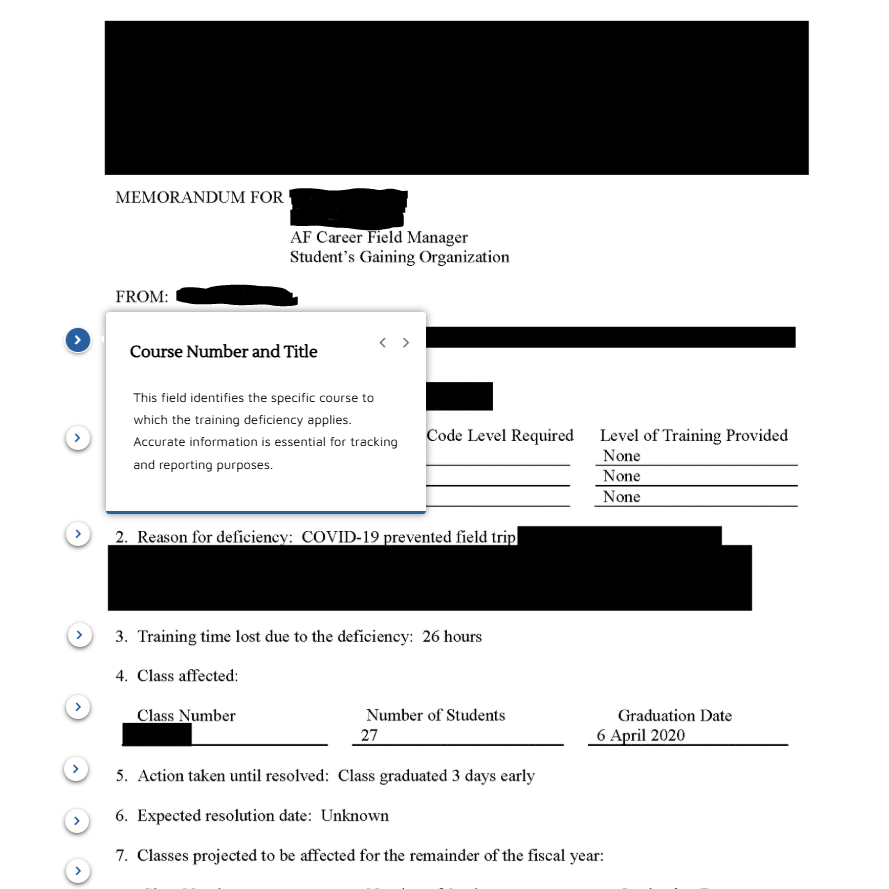
After · Selectable, Editable HTML Explorer
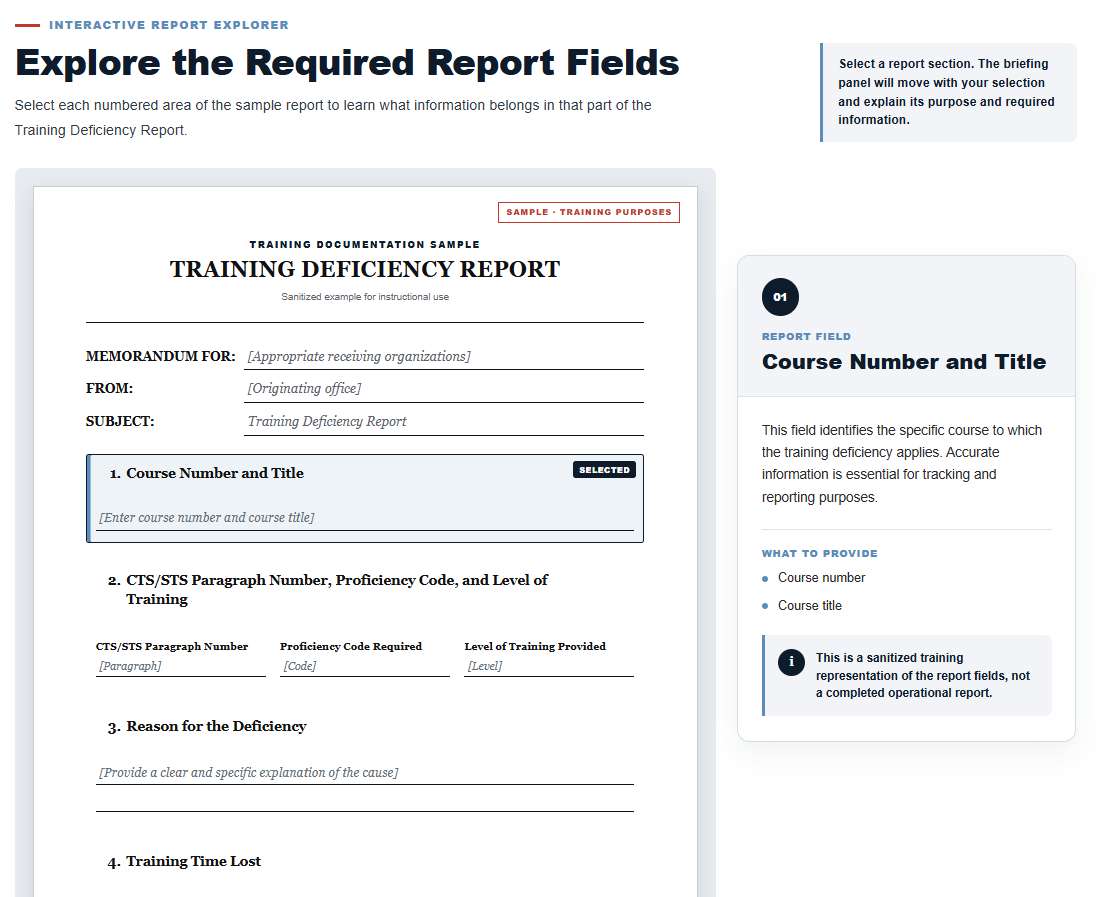
Improvement: an interactive learning interface and maintainable source
The original interaction uses a static PNG, with small arrows layered over the image to open separate explanations. I rebuilt the document as editable HTML with nine selectable sections. When a learner chooses a field, that section highlights and the persistent briefing panel updates with its purpose, required content, and practical guidance—turning the document itself into the learning interface. Because every label, placeholder, callout, and state is structured HTML, future wording, field, or policy updates can be made directly without editing and re-exporting an image. The result is more engaging to explore, easier to maintain, and still fully sanitized for safe portfolio presentation.
How I Pushed Rise Beyond Its Defaults
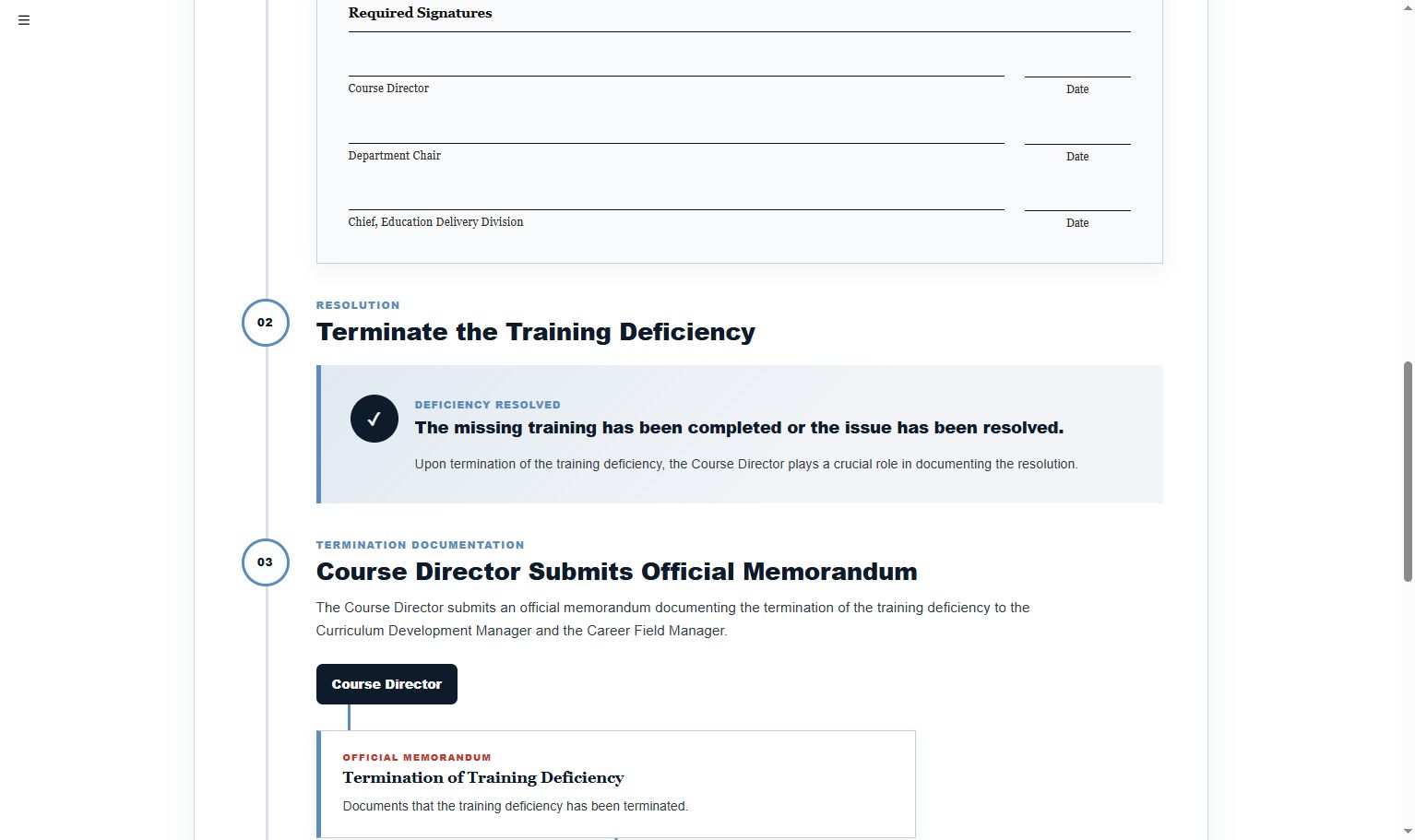
Rise remained the responsive course shell. The high-value learning moments became custom-built, branded components.
01
Prototype the Interaction
I used ChatGPT to accelerate working HTML, CSS, and JavaScript prototypes—an AI-assisted “vibe coding” workflow—then refined the UX, copy, states, and visual direction.
02
Build a Reusable Brand System
Navy, blue, and red accents; consistent typography; modular cards; and repeatable layouts create continuity across five lessons.
03
Design for Access
Semantic headings, readable contrast, generous targets, progress cues, and native radio-group behavior keep the custom interactions usable—not merely decorative.
04
Integrate, Test & Iterate
Each component was embedded inside Rise, tested in context, and adjusted for responsive behavior, content flow, and visual consistency.
Rise shell + custom HTML/CSS/JavaScript → branded, accessible interactivity
Bring custom craft to the tools you already use
Need Rise courses that don’t look like templates?
I design and develop branded, accessible learning systems inside the authoring tools your team already supports.